Double your booked meetings: A respectful approach
Sales, Customers Success, and Account Managers can especially benefit from more booked meetings, but anyone looking to land a meeting with an important client or stakeholder will benefit from combining a few of Boomerang's Premium features to more than double the amount of meetings booked. See How Astra Payroll used Boomerang's Bookable Schedule to increase meetings booked by 120%--just using our Bookable Schedule feature alone.
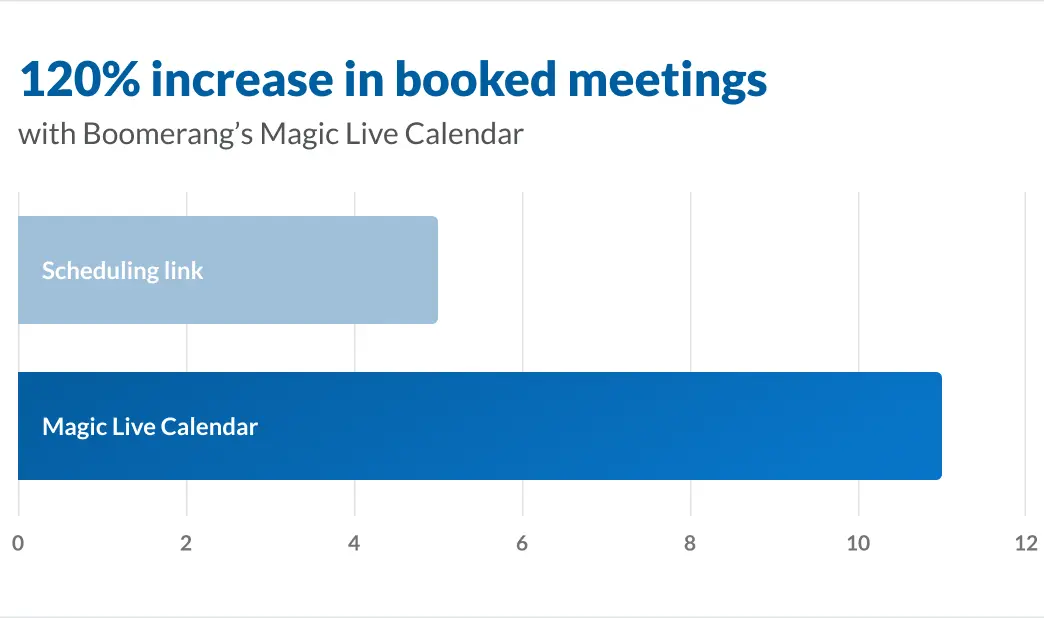
To get a Bookable Schedule setup, you can follow the steps on this page. Once you've got your Bookable Schedule setup, then you're ready to start drafting emails that will land you meetings:
- Step 1: Insert your Bookable Schedule as a Magic Live Calendar (MLC)
- Step 2 (Optional): Set it to Boomerang If Not Clicked
- Step 3 (Optional): Schedule the email for an optimal open times
Step 1: Insert your Bookable Schedule as a Magic Live Calendar
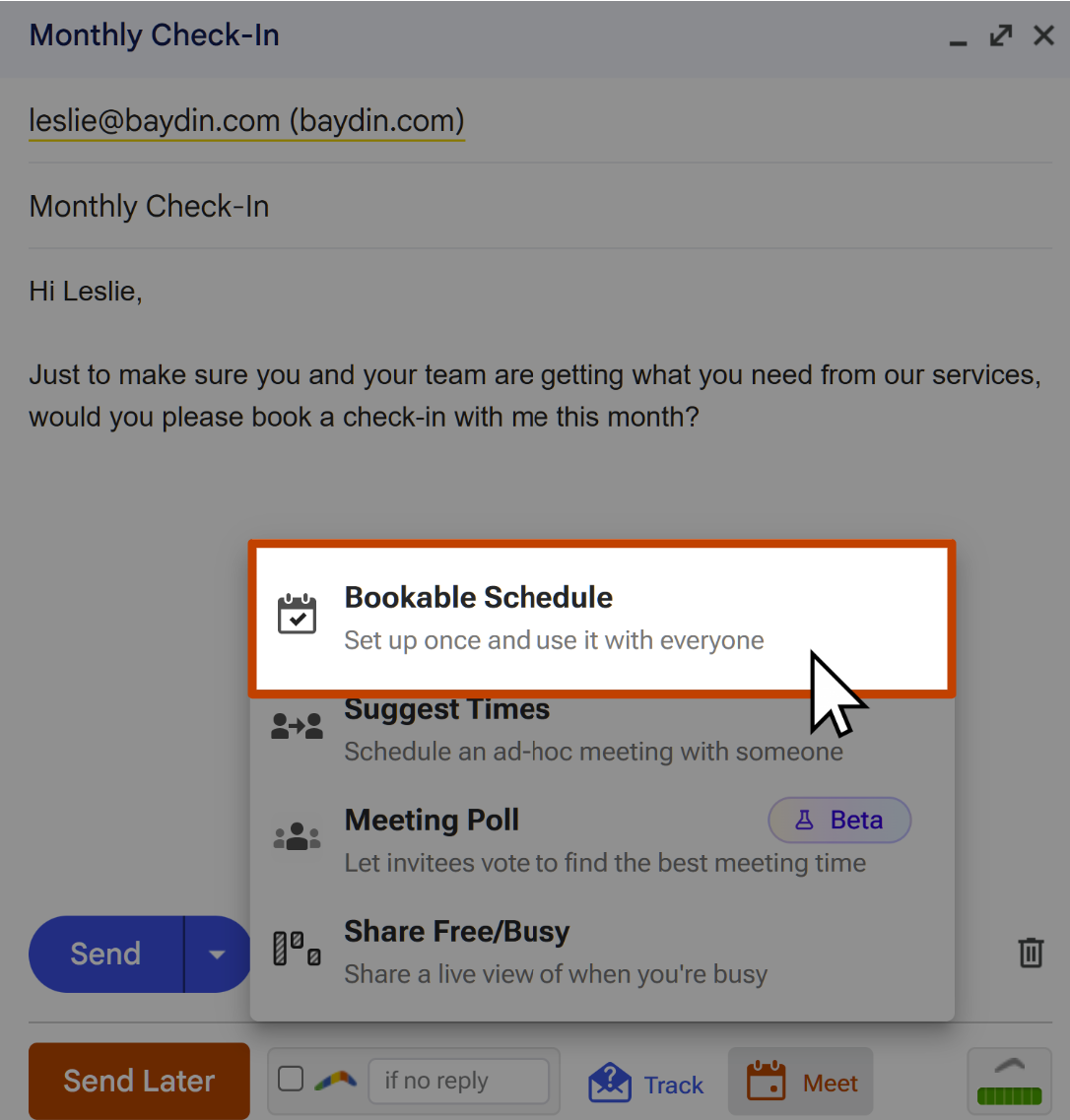
First, compose a new email, and click Meet, click Bookable Schedule, and then select the Bookable Schedule you want your recipient to use to book.
Step 2 (Optional): Set it to Boomerang If Not Clicked
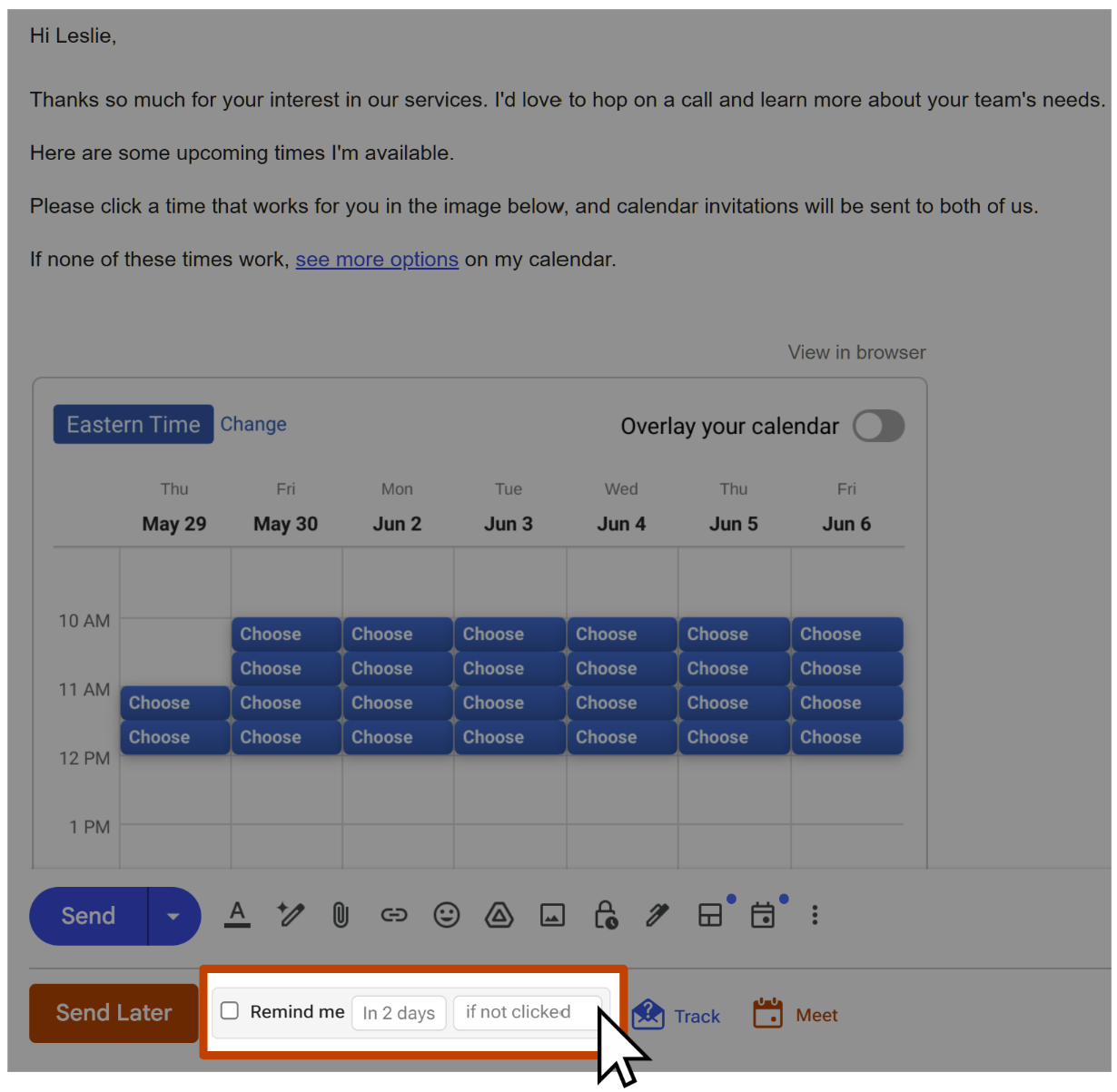
Doing so will combine our Read Receipts (Open/Click Tracking) feature with our Boomerang (Remind me) feature. Read Receipts will give you helpful data, like if a recipient clicked the link to See More Options on your Bookable Schedule. You can check your calendar and/or calendar confirmation emails to confirm whether the recipient actually booked. And this email will come back to the top of your Inbox to remind you to follow-up if the recipient dropped off.
Step 3 (Optional): Schedule the email for an optimal open time
According to a Cornell University study, weekday mornings (between 9am and 11am for the recipient) on Tuesday or Wednesday would be a strategic time to have a general business-related email scheduled for. If you'll be scheduling lots of emails for these times, you can also add a few times to your preset menu using the instructions in this article.
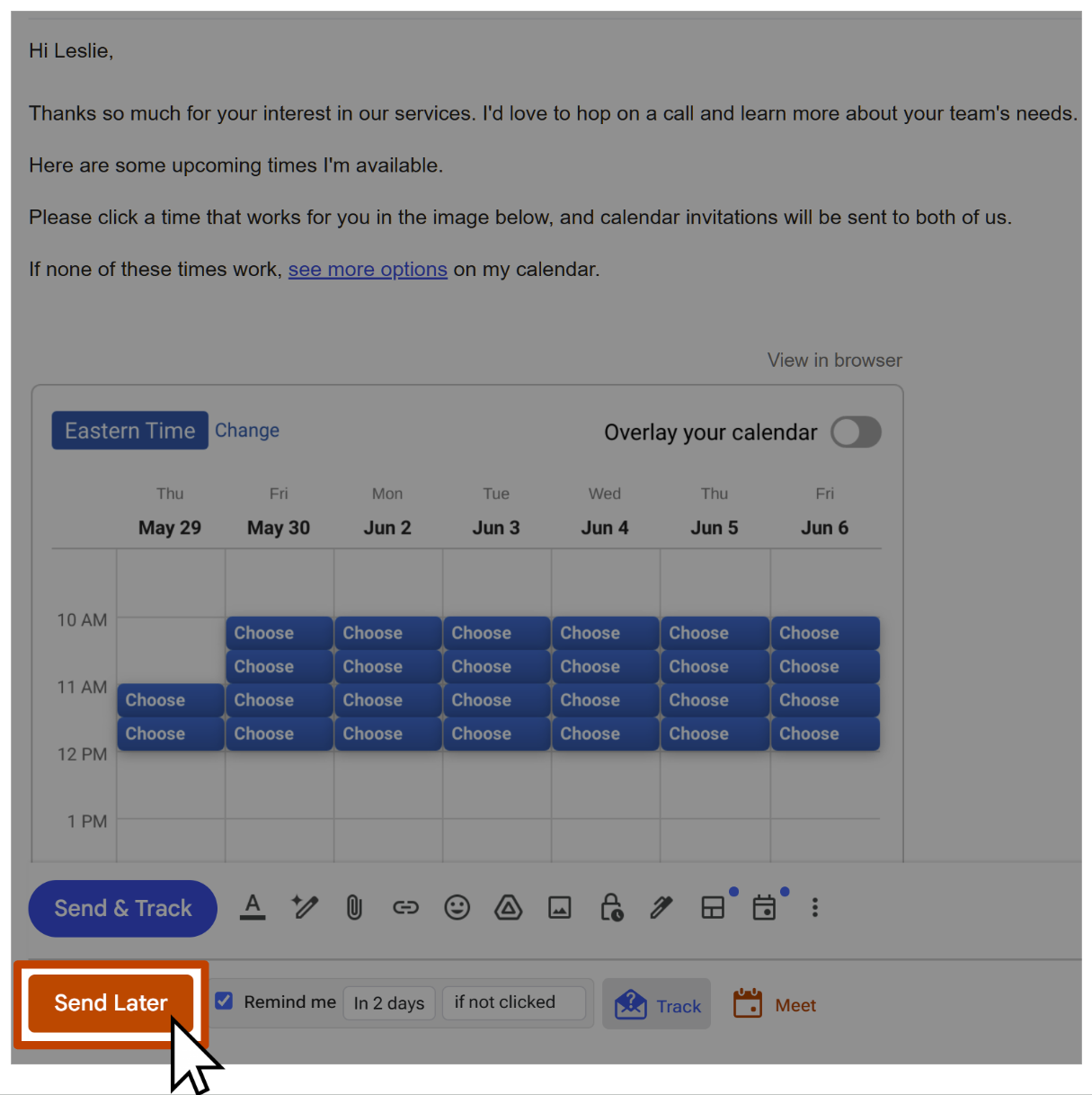
By combining these 4 features, you'll increase your booked meetings, gain useful tracking info, and well-timed follow-up reminders--all by standing out as an extra courteous correspondent to the recipient!